Technical resource
Pages and emails broken after SUPEE-6788 patch to Magento
Note: This is a historical reference, not a current security baseline. Magento 1 is end-of-life.
Problem description
Some blocks are not shown on CMS pages, home page, category pages, landing pages in your Magento installation after installing SUPEE-6788 patch, page layout is broken. Some transactional emails, order notification emails are broken, incomplete or have some data missing after installing SUPEE-6788 patch.Cause
SUPEE-6788 patch introduced new permissions for usage of blocks and core variables on CMS pages and inside templates or extensions. By default, only two blocks (core/template and catalog/product_new) are allowed for inclusion. All other blocks should be whitelisted in blocks permission table.
Solution
- in Backend navigate to CMS > Pages or CMS > Static Blocks or System > Transactional Emails and check the page or block or transactional email affected
- when checking page or template content make sure to Hide Editor to see it in a plain code
- check for elements similar to
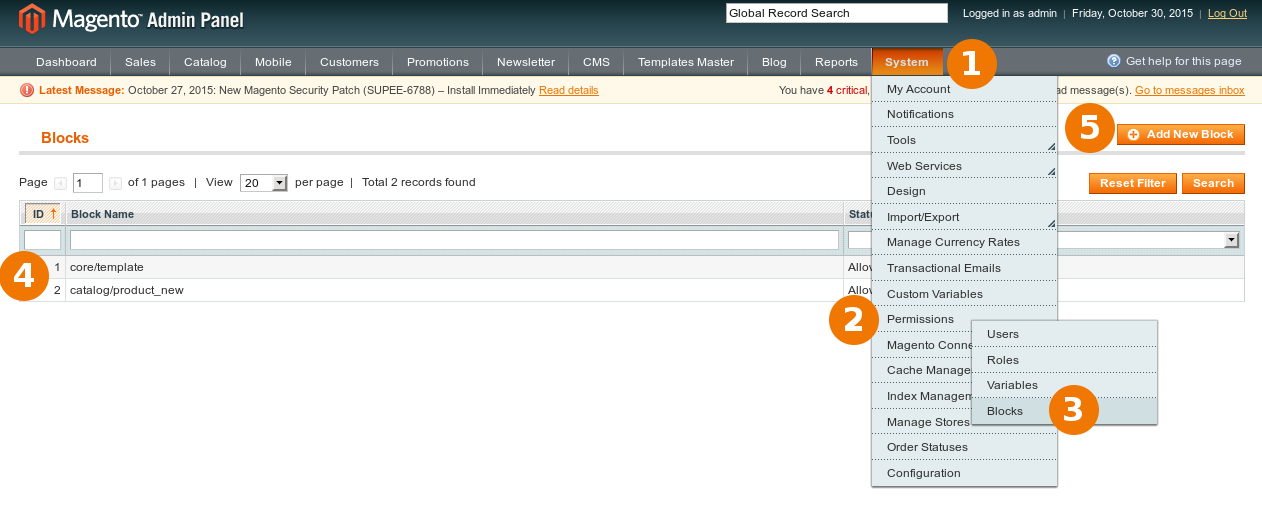
{{block type="cms/block"}}or{{var custom.variable}}and record all used entries - navigate to System > Permissions > Blocks and add all blocks collected at previous step:
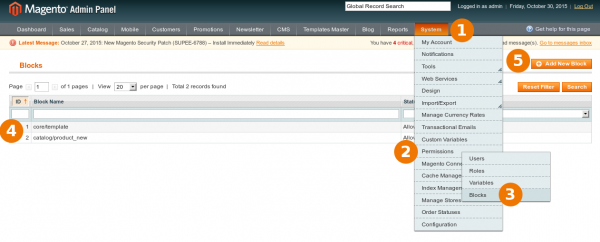
Adding new block to permission table after SUPEE-6788 - the following blocks are used often:
- cms/block
- catalog/product_list
- catalog/navigation
- featuredproducts/listing
- repeat the same steps for variables at System > Permissions > Variables
- Flush Magento cache
Comments
Archived discussion
I see in the transaction emails this: {{var store.getFrontendName()}
in the permissions area for variables there is a list like so: “trans_email/ident_support/name”
How do I add the add new variables now? Would I just put: “store.getFrontend()”
Do I leave in the “( )”, so I leave in the var in the beginning?
Hi,
I have started uploading the security patch via FTP.
However one particular file Filter.php (file path [app/code/core/Mage/Core/Model/Email/Template/Filter.php])
Is interfering with the CMS blocks on the homepage, and making them not appear.
I found this article and tried to follow the steps.
However I cannot find anything similar to your description within the particular CMS’s code.
Also when I follow System > Permissions > Blocks
I am presented with an error screen I have attached a screen shot of the screen.
What should I do from here?
exactly same problem here.
Edit: now, solved. The Update-SQL-Script had the wrong permission. Magento have to execute the script, with manual upload the script had the wrong permissions. now everything is fine.
Thanks so much for letting my know.
I was now able to fix this issue.
Yes I know: Don’t mess with the core! Please don’t hit me for that. :-D
hi,
I have added blocks to white list but still it does not showing in front end
I get the following when i goto permissions > blocks
There has been an error processing your request
Item (Mage_Admin_Model_Block) with the same id “1” already exist
Could anyone shed some light for me?